
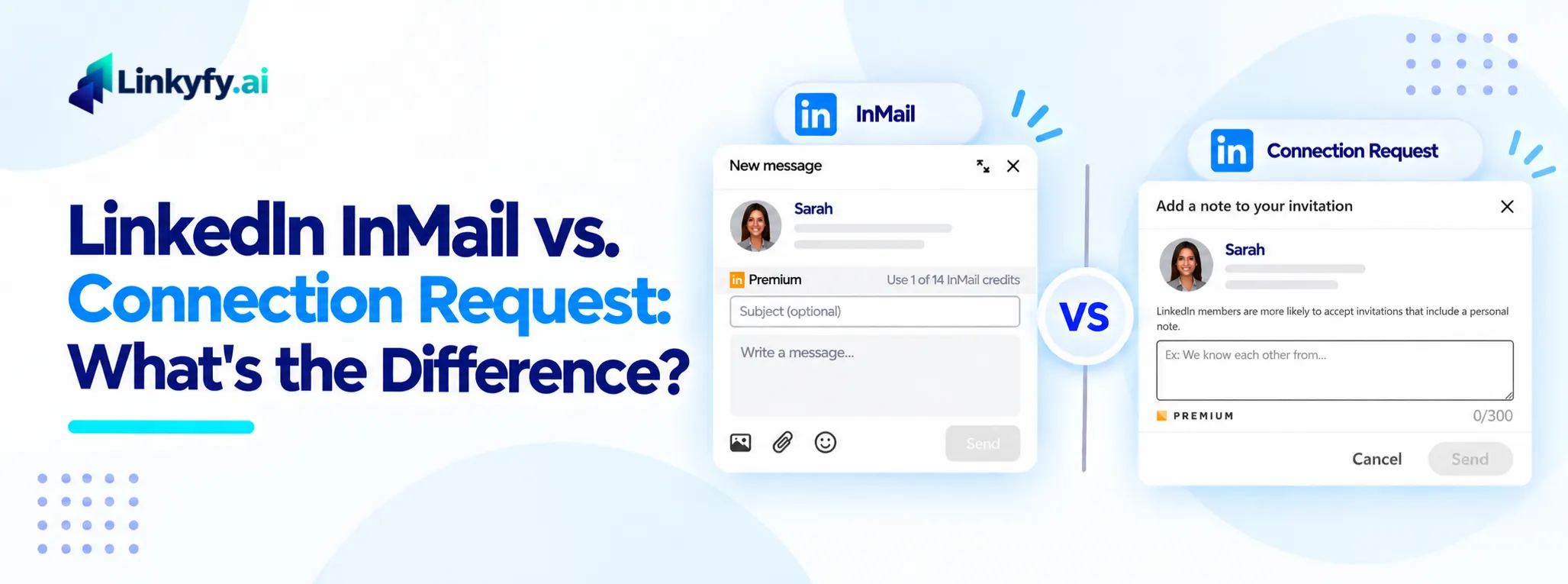
InMail and a connection request solve two different problems, but most outreach advice treats picking between them as guesswork. Send the wrong one first, and a prospect either never sees the message or sees it and files it as spam.
The real decision comes down to two things: who you’re trying to reach, and how many of them you need to reach this month. Below is what actually separates the two, what the data says about each, and a simple framework for choosing between them before you send anything.
The Actual Difference: Reach vs. Volume
A connection request is free, but it only works on people willing to accept it. It also carries a short note – typically around 200 to 300 characters depending on the account type – so there’s no room for a real pitch. Once accepted, every message after that is free too.
InMail skips the acceptance step entirely. It reaches anyone on LinkedIn regardless of connection degree, and it carries far more room to write – up to roughly 2,000 characters. That reach costs something, though. A standard Sales Navigator seat includes around 50 InMail credits a month, and each one gets spent whether or not the recipient replies (most plans do refund the credit if the recipient responds within a set window).
So the trade-off isn’t really quality versus cost. It’s reach versus volume. A connection request scales past 50 sends a month without spending anything. InMail doesn’t scale the same way – it’s built for a shorter list of people you can’t otherwise reach.
What LinkedIn Actually Allows
LinkedIn has tightened connection-request limits considerably over the past few years, from several hundred a week down to a much smaller weekly cap for most accounts today. That single change reshaped this whole decision. When requests were nearly unlimited, volume made connection requests the obvious default. Now that they’re capped, the choice depends more on who’s actually on the list.
LinkedIn doesn’t publish the exact weekly number, so it varies by account. A well-established account typically sits around 100 requests a week, while a newer account or one with a lot of ignored requests gets capped much lower. Go over the limit, or let acceptance rate drop too far, and LinkedIn temporarily blocks new invitations.
InMail works differently. Credits reset monthly rather than weekly, and unused ones roll over only up to a plan-specific cap before expiring 90 days after they’re granted. The upside: if the recipient replies within that window – even a “not interested” – the credit comes back. Silence is the only way to lose one for good.
When to Send Which: A Decision Framework
Before sending either one, four questions settle most of these calls.
- Is the person a 2nd or 3rd-degree connection you’ve never interacted with? Start with a connection request. It’s free, and most InMail is wasted on people who would have accepted a request anyway.
- Do they need to hear from you today, not this week? InMail wins here. A connection request sits in a pending queue with no guarantee of a timely response.
- Did a connection request already go unanswered? That’s a legitimate reason to spend an InMail credit – the prospect has already seen the name once, so the second touch has context behind it.
- Is the recipient a senior decision-maker who rarely accepts requests from unknown senders? InMail bypasses that filter entirely, which is often the only way through.
Outside of those four situations, the connection request is almost always the better first move. It costs nothing to test, and it keeps the credit available for a prospect who actually needs it.
A Tactic Worth Knowing: Open Profiles
A meaningful share of LinkedIn members set their account to “open profile,” which allows anyone to send them a free InMail with no credit spent. Sales Navigator flags these accounts directly in search results.
This matters because it changes the math on outreach lists that skew toward senior or public-facing roles – recruiters, founders, and sales leaders are disproportionately likely to have this setting on. Checking for it before defaulting to a paid InMail can save credits without giving up any reach.
Common Mistakes With Both
A few mistakes come up often enough to call out directly.
Sending an InMail and a connection request to the same person on the same day is the most common one. It reads as two separate senders reaching out at once, not a coordinated outreach effort, and it burns a credit that likely wasn’t needed yet.
Treating InMail as a default first touch is another. Most prospects would have accepted a free request just as easily, so the credit gets spent for no real gain.
Ignoring the character limit on connection notes causes the third. A note that gets cut off mid-sentence looks careless, and a note trying to fit a full pitch into 300 characters usually reads as pushy rather than concise.
How Linkyfy Handles This Decision
Manually checking connection degree, open-profile status, and prior send history for every prospect on a list doesn’t scale past a handful of names. Linkyfy checks all three automatically before a message goes out, so a request isn’t wasted on someone who needed InMail, and a credit isn’t spent on someone who would have accepted a free request.
The sequencing follows the same logic laid out above: a connection request first wherever one is likely to work, InMail reserved for the accounts it’s actually built for.
FAQs on Automating LinkedIn Messages Without Sounding Robotic
Is InMail worth the cost compared to a free connection request?
It depends on who’s on the list. For 2nd- and 3rd-degree connections likely to accept a request, InMail adds cost without adding reach. For senior contacts who rarely accept requests from strangers, InMail is often the only way to land in their inbox at all.
Can I send an InMail after a connection request goes unanswered?
Yes, and it’s one of the better uses of a credit. The prospect has already seen the name once, so the follow-up has context a cold InMail wouldn’t have.
What’s the character limit on each one?
A connection request note runs roughly 200 to 300 characters depending on account type. InMail allows close to 2,000, which is enough room for a full message rather than a one-line opener.
Do unused InMail credits carry over?
Most plans roll unused credits forward for a period before they expire, rather than resetting to zero every month. The exact window varies by plan type.
Should I send both to the same prospect on the same day?
No — it reads as uncoordinated rather than persistent, and it spends a credit that may not have been needed. Give a connection request time to be accepted or ignored before deciding whether InMail is the next step.
