
AI LinkedIn Post Finder
LinkedIn Post Finder for Turning
Buying-Intent Posts into Prospects
- No manual list-building
- Hiring & Knowledge Sharing intent filters
- LinkedIn + Email outreach in one platform


The Problem
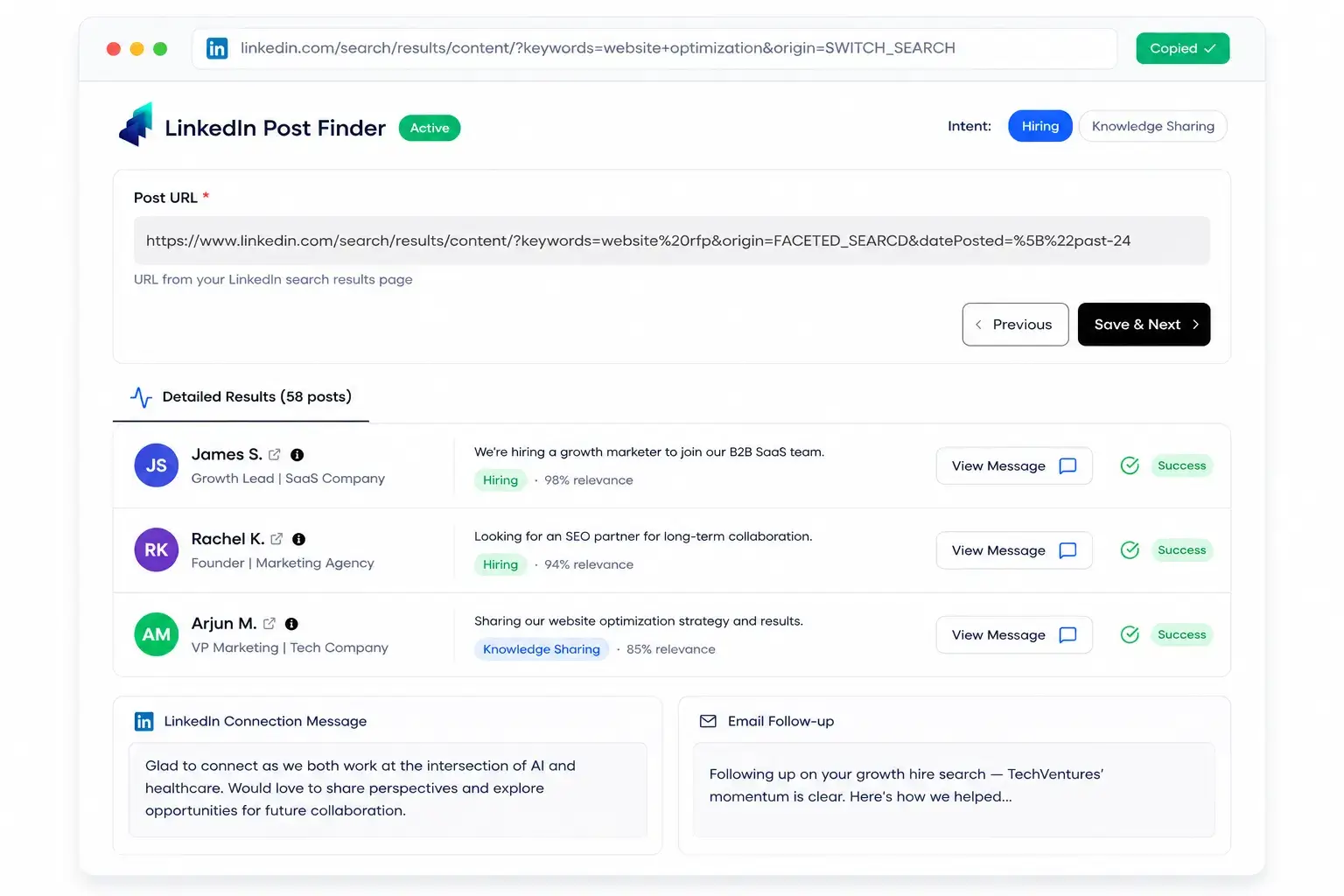
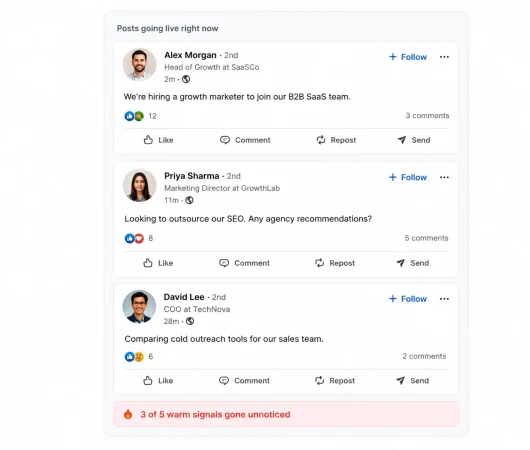
Every day, people announce exactly what they need in LinkedIn posts.
The Solution
What is a LinkedIn Post Finder?
How does Linkyfy work as a LinkedIn Post Finder?
See It In Action
See How Linkyfy Finds High-Intent LinkedIn Posts with AI
AI LinkedIn Post Finder Features Built to Scale
Works From a LinkedIn Search URL
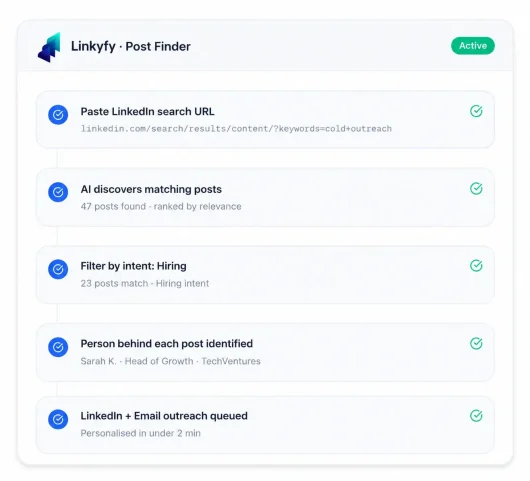
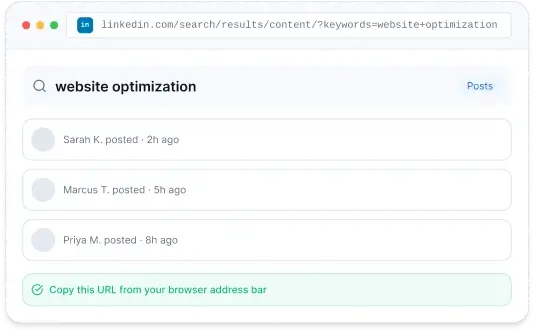
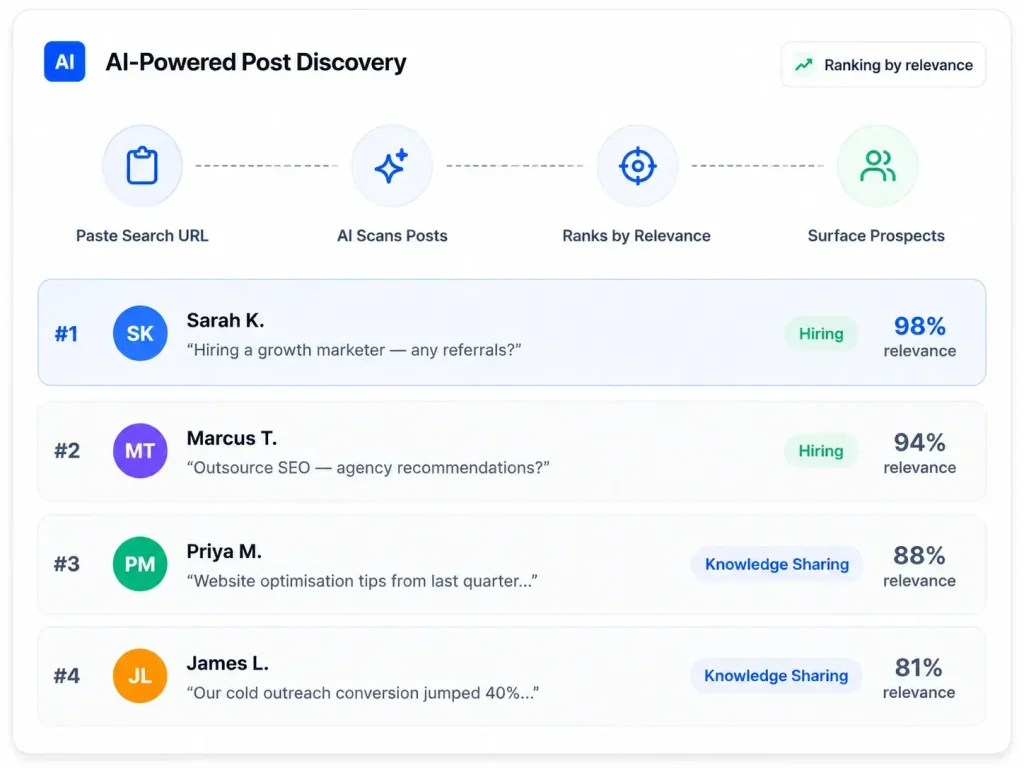
Paste the URL from your LinkedIn keyword search directly into Linkyfy. That single input is all the tool needs with no manual list building, no scraping setup, no spreadsheet to manage. Linkyfy reads the search and pulls the relevant posts from there.
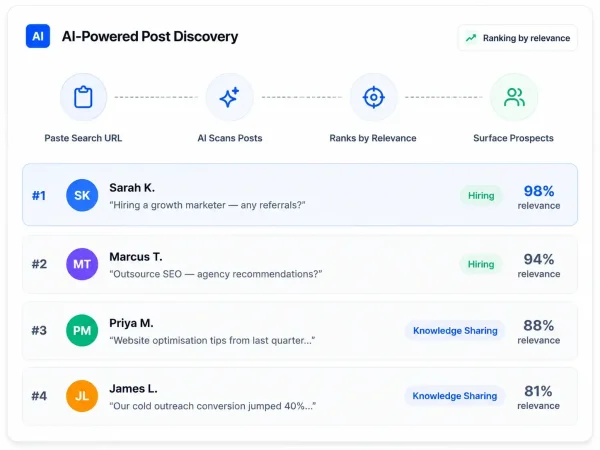
AI-Powered Post Discovery
Linkyfy reads the pasted search URL and surfaces the linkedin posts that match your keyword, ranking them by relevance so the highest-intent conversations come first. Your search results become a prioritized list of prospects already discussing what you sell.
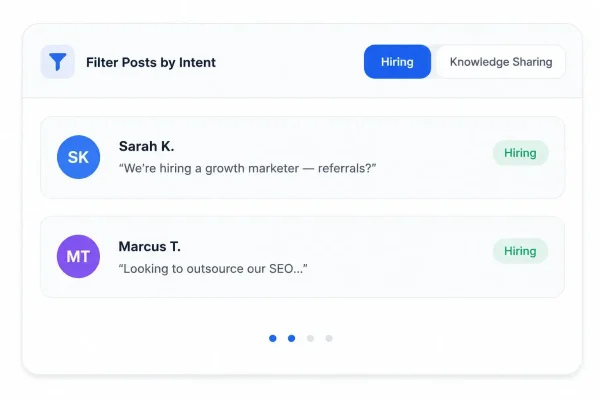
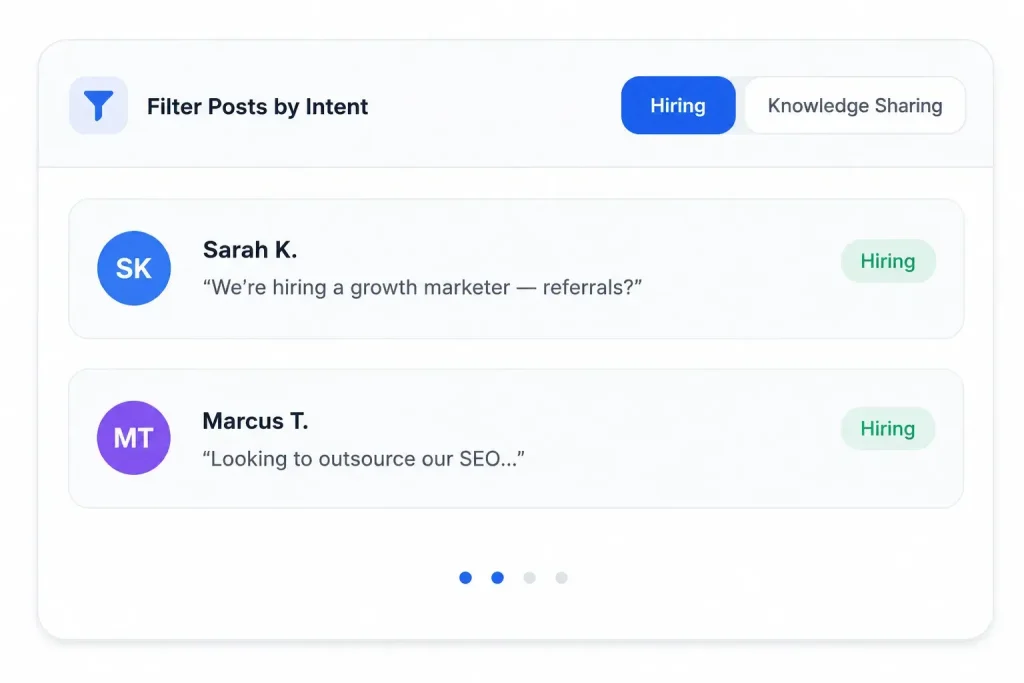
Filter Posts by Intent
After pasting the URL, pick one of two fixed intents: Hiring or Knowledge Sharing. Linkyfy narrows the found posts to only the ones that match that intent, keeping your prospect list relevant to the reason you're reaching out.
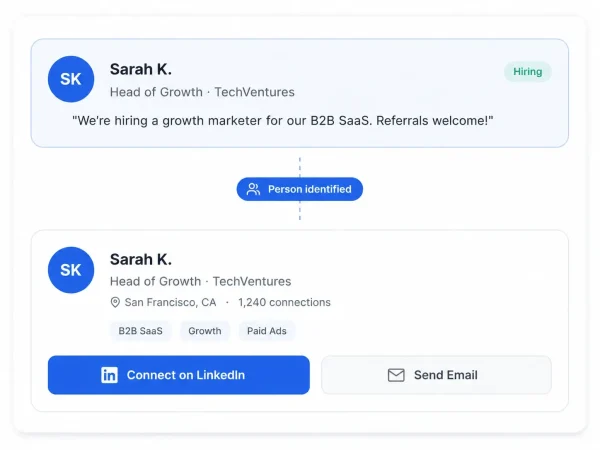
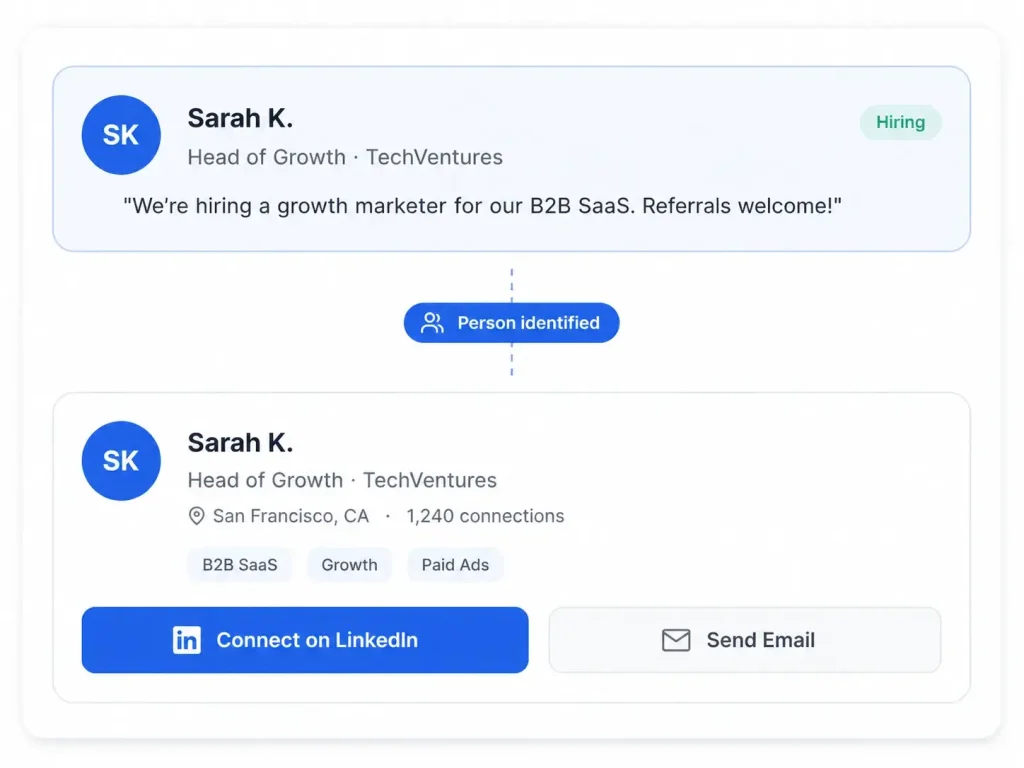
Surfaces the Person Behind Each Post
For each matching post, Linkyfy identifies the person who wrote or engaged with it and extracts their full LinkedIn profile. Posts become an actionable prospect list with the context of what each person is already talking about built in.
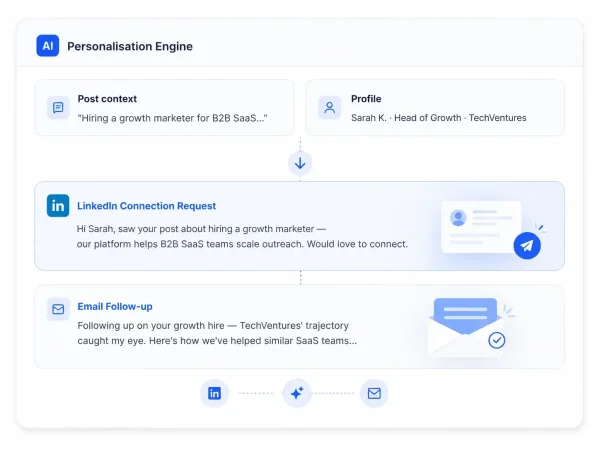
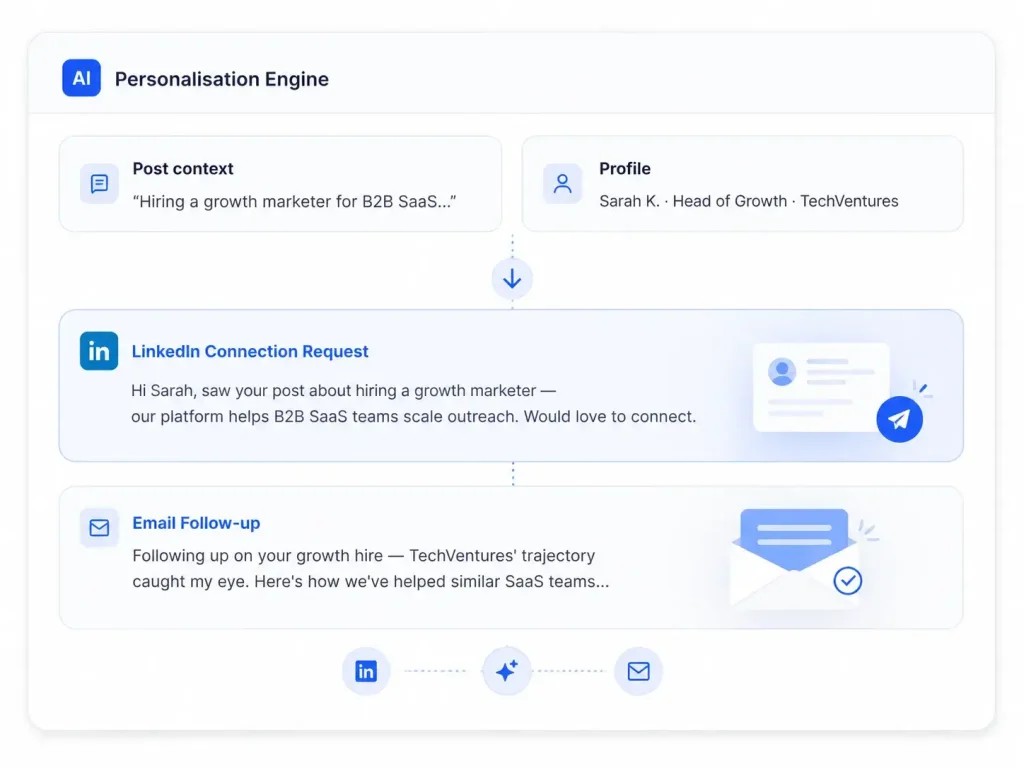
AI-Personalized LinkedIn and Email Outreach
Linkyfy moves from a found post to a personalized LinkedIn connection request and follow-up email with AI personalizing each message to the prospect's profile and the specific post that matched. One platform, from post discovery to outreach to reply.
Privacy-First Cloud Architecture
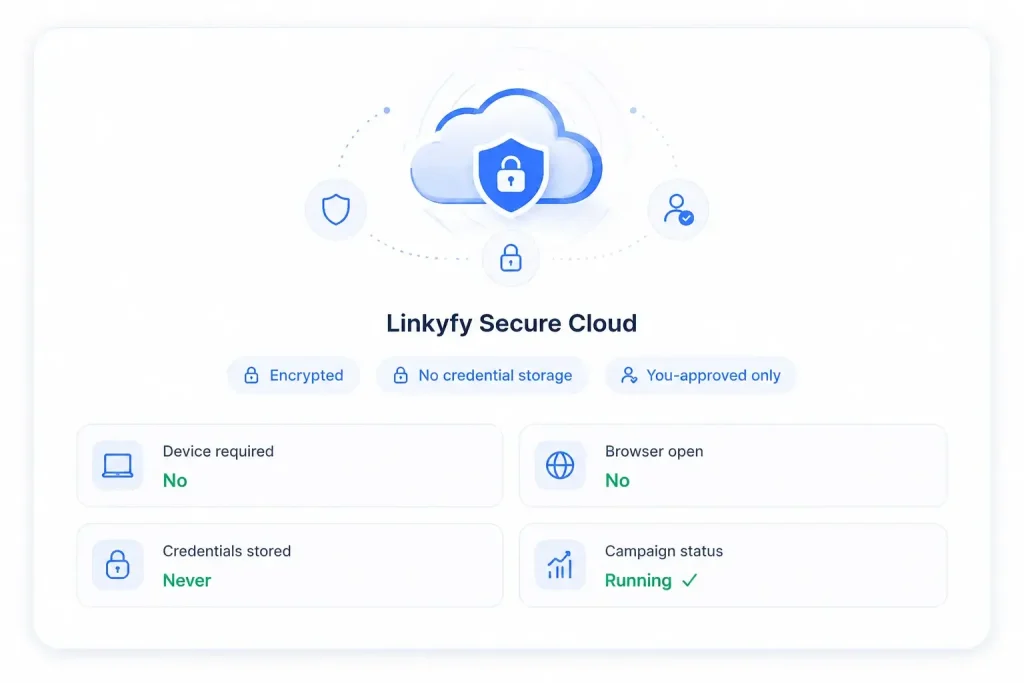
Linkyfy runs on a secure cloud infrastructure; your campaigns run without needing your device to stay on or your browser to remain open. Your credentials are never stored on third-party servers, and nothing activates without your approval.
How to Find LinkedIn Posts and Prospects with Linkyfy
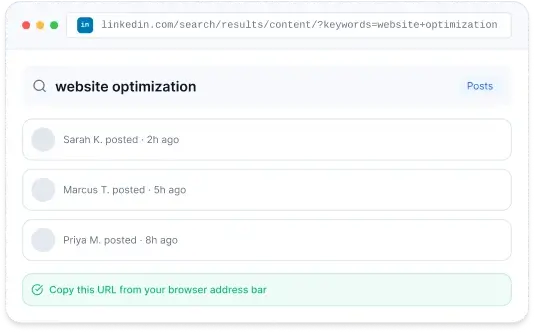
Search Your Service Keyword on LinkedIn
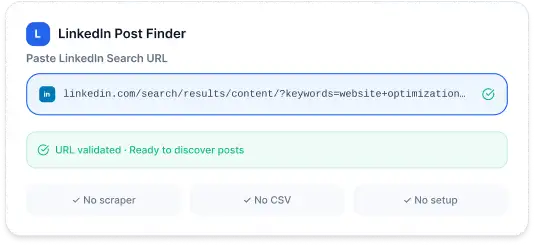
Paste the LinkedIn Search URL into Linkyfy
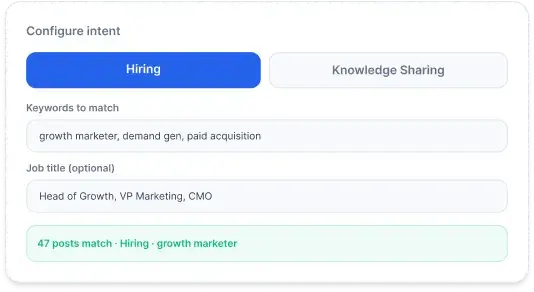
Pick Your Intent
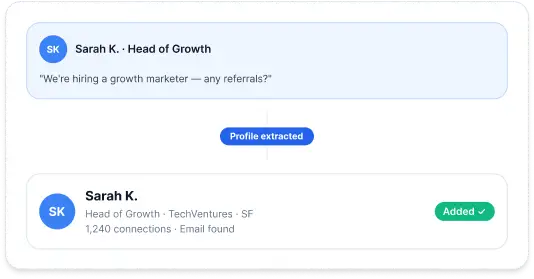
Surface the Person Behind Each Post
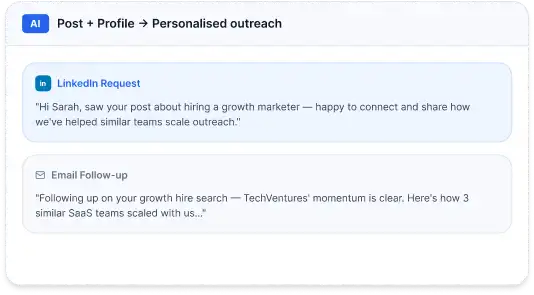
Launch LinkedIn and Email Outreach
Find LinkedIn Posts by Intent
Hiring
Knowledge Sharing
AI LinkedIn Post Finder That Delivers Real Results
300+
40%+
3x
15+ hrs
Under 2 min
Built for Safety: Keep Your LinkedIn Account Protected
Finding LinkedIn posts is only half the job; the outreach that follows has to be safe. Linkyfy is built with account protection at the core, so post-based prospecting never puts your LinkedIn account at risk.
User-Controlled Automation
You decide when Linkyfy activates outreach. Nothing sends without your approval; no background automation, no campaigns running without your knowledge. Full control over when and how your outreach runs.
Smart Daily Limits
Linkyfy enforces 15–20 LinkedIn connection requests per day , with randomised delays between actions, staying within LinkedIn's usage thresholds and mimicking natural human activity patterns to keep your account protected.
Eligibility Check for New Accounts
Before any campaign runs, Linkyfy checks every LinkedIn account against its eligibility criteria: 250+ connections and a minimum account age of 1 year. This ensures outreach starts from a foundation LinkedIn's algorithm already trusts.
Human-Like Activity Patterns
Randomized timing, variable message content, and natural action sequencing across all outreach campaigns, so your LinkedIn account behaves like a real person discovering and reaching out to relevant posts, not a bot running at fixed intervals.
LinkedIn Post Finder for Every Team

For Sales Teams

For Founders & CXOs

For Marketing Agencies
Coming Soon
Integrate Your LinkedIn Post Finder with Existing Apps
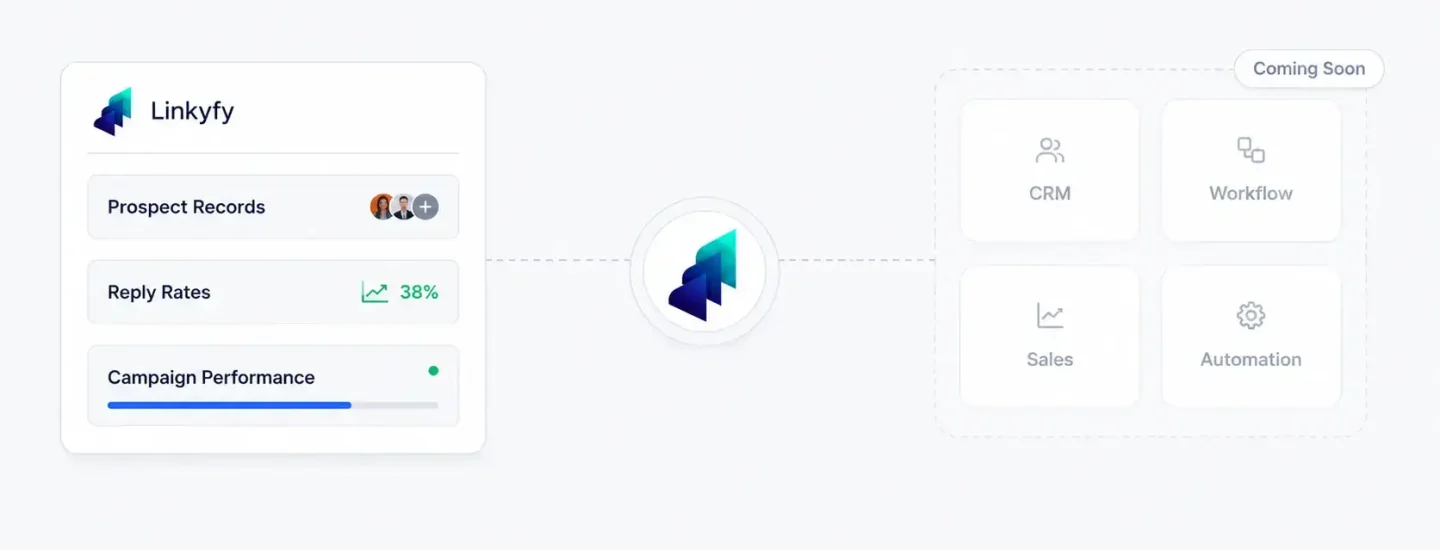
Linkyfy is building MCP-based integrations so your post-discovery data, matched prospects, profile details, and outreach performance sync into the CRMs and workflow tools your team already uses. HubSpot, Salesforce, Zapier, Google Sheets, Pipedrive, and Slack planned.
Frequently Asked Questions about Finding LinkedIn Posts
How do I find LinkedIn posts with Linkyfy?
Search your service keyword on LinkedIn, copy the search results URL, and paste it into Linkyfy. Pick one of two intents: Hiring or Knowledge Sharing, and Linkyfy surfaces the matching posts and the people behind them, ready for outreach.
Is using a LinkedIn post finder safe for my LinkedIn account?
Yes. Linkyfy enforces 15–20 connection requests per day with randomized human-like delays, staying inside LinkedIn’s usage thresholds. Before any campaign runs, Linkyfy checks account eligibility : 250+ connections and 1+ year account age, so outreach only starts from a protected, algorithm-trusted foundation.
What happens after Linkyfy finds the posts?
Linkyfy identifies the person behind each matching post, extracts their full LinkedIn profile, and adds them to a prospect list. From there, Linkyfy launches AI-personalized LinkedIn connection requests and email outreach, with messages tailored to each prospect’s profile and the specific post that matched.
Do I need a paid LinkedIn account to use it?
No. Linkyfy works with a free LinkedIn account. You search LinkedIn using your keyword, copy the search results URL, and paste it into Linkyfy, no LinkedIn Premium or Sales Navigator required. A Premium or Sales Navigator account will expand your search results, but it is not necessary to get started.
Can I run outreach from Linkyfy to the people behind the posts?
Yes, that is the core workflow. Once Linkyfy surfaces the matching posts and the profiles behind them, it pushes those prospects directly into AI-personalized LinkedIn and email outreach. The platform moves from post discovery to outreach in one connected workflow without switching tools.
Does the LinkedIn post finder write posts for me?
No. Linkyfy finds linkedin posts that match your keyword and intent, it does not generate or publish posts on your behalf. The focus is post discovery and prospect outreach. AI-powered post creation and publishing are on Linkyfy’s roadmap as a separate upcoming feature.
How recent are the LinkedIn posts Linkyfy finds?
Linkyfy surfaces posts from the LinkedIn search results you paste; the freshness depends on what LinkedIn’s search returns for your keyword. For the most recent buying signals, search LinkedIn and filter by “Past 24 hours” or “Past week” before copying the URL and pasting it into Linkyfy.
How fast does Linkyfy return the posts?
Linkyfy processes the pasted LinkedIn search URL and returns matched posts quickly; most searches return results within seconds. From there, outreach can be queued and running in under 2 minutes from when you first paste the URL.
How is Linkyfy different from a scraper or browser extension?
Linkyfy is a cloud-based platform, not a browser extension or a raw data scraper. Browser extensions run inside your browser and are detectable by LinkedIn’s security systems. Linkyfy operates on secure cloud infrastructure outside your browser, so campaigns run without detection risk and without needing your device to stay on.
Is my data private and secure with Linkyfy?
Yes. Linkyfy’s cloud architecture is built privacy-first, your credentials are never stored on third-party servers, your prospect data stays within your account, and automation only activates when you choose to run it. Nothing runs in the background without your knowledge or approval.
How many LinkedIn posts can I process per day?
Linkyfy can process up to 300 LinkedIn posts per day per campaign. You should have a standard subscription or above plan active in your Linkyfy account to use this feature. That gives you a significant volume of intent-matched prospects to work with daily, well within LinkedIn’s safe usage thresholds when outreach is paced at the recommended 15–20 connection requests per account per day.