
Most people have seen the small “2nd” or “3rd” label next to a name on LinkedIn for years without knowing what it actually changes about that profile. It’s not a badge or a ranking. It’s the single factor that decides whether you can message someone for free, how much of their profile you can see, and whether a connection request or an InMail is the only way to reach them at all.
This guide covers what each degree actually means, what it unlocks and blocks in practice, and what to do when the label you’re looking at isn’t the one you were hoping for.
What Connection Degrees Actually Mean
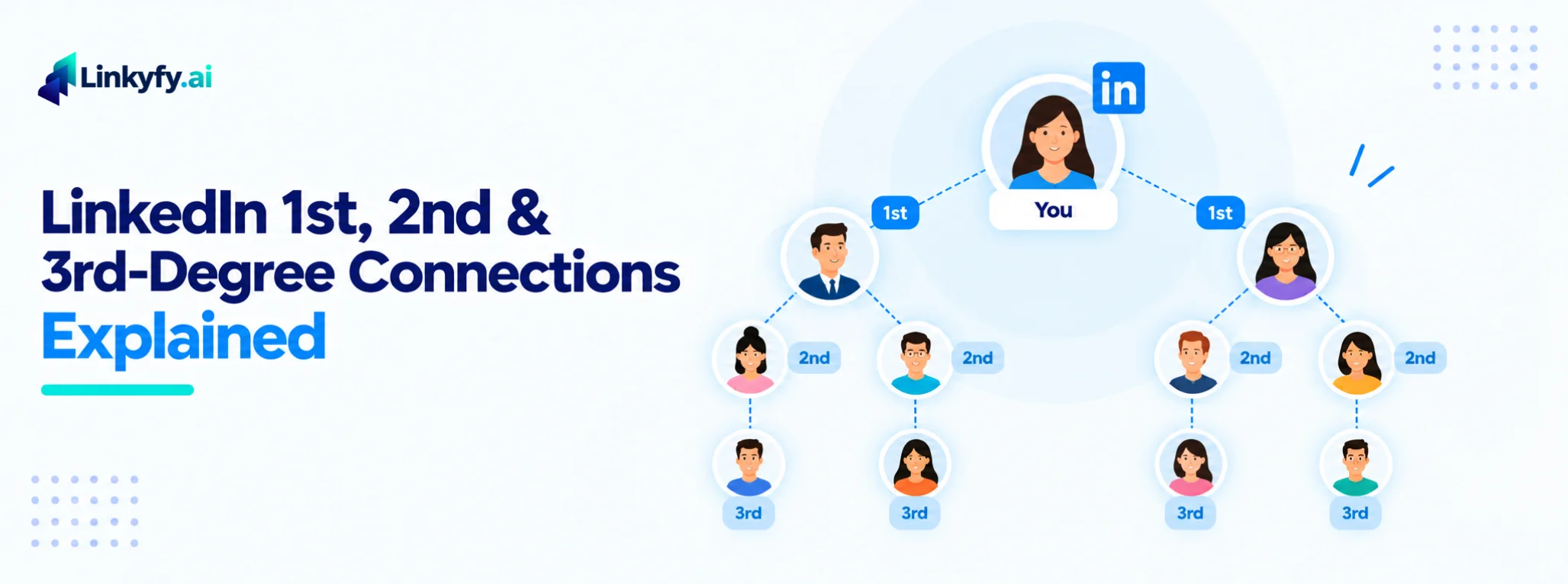
LinkedIn’s connection system has four tiers, and every one of them is calculated relative to your own account, not some global ranking:
- 1st-degree: people you’re directly connected to, meaning one of you sent an invitation and the other accepted
- 2nd-degree: people connected to one of your 1st-degree connections, but not to you directly
- 3rd-degree: people connected to your 2nd-degree connections, one step further removed
- Out of network: everyone beyond 3rd-degree, where LinkedIn typically shows little more than a name and headline, if that
Because this is calculated per account, the exact same person can be your 2nd-degree connection and someone else’s 3rd-degree connection at the same time. There’s no universal version of anyone’s degree, only the one relative to whoever’s looking.
What Each Degree Actually Lets You Do
| Degree | Free to message? | Full profile visible? | Need InMail? | Typical range you'll see |
|---|---|---|---|---|
| 1st-degree | Yes, unlimited | Yes, in full | No | Message reply rates commonly cited around 25–40%+, since a relationship already exists |
| 2nd-degree | No, connect first | Partial, depends on their privacy settings | Optional, if you'd rather skip the connection step | Personalized connection request acceptance commonly cited around 20–40%; generic requests typically land lower |
| 3rd-degree | No | Often limited or blurred | Usually, unless connecting first | Acceptance and reply rates tend to run lower than 2nd-degree, since there's less shared context to reference |
| Out of network | No | Minimal, sometimes just a name | Yes, in most cases | Lowest of the four, cold outreach with no network context behind it |
These are widely reported ranges rather than numbers LinkedIn publishes officially, and they move a lot based on personalization and targeting. The pattern that holds up consistently, though, is that reply and acceptance rates drop as the degree gets further from your own network. That’s worth knowing before assuming a low response on a 3rd-degree campaign means your message was bad.
How to Actually Reach Someone at Each Degree
1st-degree: just message them. No connection request, no credit, no waiting.
2nd-degree: send a personalized connection request referencing something specific and real, shared context, their role, or recent activity, rather than a generic “I’d like to add you to my network.” If you have a mutual connection you know well, asking for a direct introduction often outperforms a cold request entirely. InMail is also an option here if you’d rather skip the connection step, though it costs a credit a connection request doesn’t.
3rd-degree and out-of-network: check whether the person has Open Profile enabled first, since that lets you message them without spending an InMail credit regardless of degree. If not, InMail is usually the fastest path. Building toward them through a mutual 2nd-degree connection works too, but it’s slower and only worth it for a handful of genuinely high-value prospects rather than as a standard tactic.
Why LinkedIn Limits Visibility and Rate-Limits Requests
The degree system isn’t just about who you can see. It’s tied directly to how much outreach LinkedIn lets you send. Connection requests are capped at roughly 100–125 per rolling week across all account tiers, and LinkedIn’s systems watch for patterns that look automated regardless of the actual number: a sudden spike in volume, identical messages sent to dozens of people, or a high rate of ignored requests. This is part of why a personalized 2nd-degree request tends to outperform a templated one by a wide margin. It’s not just about manners. It’s the exact pattern LinkedIn’s own systems are built to notice.
Linkyfy’s sending is capped and randomized by design for this reason, staying well under LinkedIn’s technical ceilings rather than pushing up against them, which keeps activity looking like what it should: a real person reaching the right people at a pace that matches how they actually use LinkedIn.
What to Do When a Connection Request Goes Nowhere
An unanswered request usually isn’t a rejection. It’s more often a timing or sequencing problem, the same idea covered in more depth in why ghosting isn’t rejection. A few things actually help:
- Don’t resend the same request. LinkedIn doesn’t allow it quickly anyway, and repeated attempts read as exactly the pattern that gets accounts flagged.
- If the person matters enough, a well-targeted InMail is a reasonable next step for a 2nd or 3rd-degree prospect who hasn’t responded.
- Look for a warmer path in, a mutual connection, a comment on their recent post, before trying the same cold approach again.
- Give it real time. A week of silence isn’t the same as a no.
A Straight Answer on Privacy: What Enrichment Tools Can (and Can't) See
It’s a fair question, and one most guides on this topic skip entirely: when a tool tells you someone is a “2nd-degree connection” or surfaces details about their network, where does that information actually come from? Legitimate tools work from the same profile signals already visible to you as the logged-in user, name, headline, shared connections, degree label, the things LinkedIn’s own interface shows anyone browsing that profile normally. That’s a meaningfully different thing from tools that bypass LinkedIn’s privacy settings entirely or scrape data a user has deliberately restricted.
The honest line to watch for: if a tool’s pitch involves circumventing what someone has chosen to keep private rather than working within what LinkedIn already surfaces, that’s worth being cautious about, for your own account’s standing as much as anything else.
How Linkyfy Uses Network Data to Prioritize the Right Prospects
Knowing someone’s degree is only useful if it changes what you actually do next, and that’s where most manual outreach breaks down. Linkyfy scores each fetched profile against your ICP before sending anything, using the same visible signals covered above, role, company, shared network context, so outreach effort goes toward the strongest matches rather than every 2nd or 3rd-degree profile a search happens to surface. Each message is then generated from that prospect’s actual profile rather than a shared template, which matters most exactly where this guide shows response rates naturally run lower: 3rd-degree and out-of-network outreach, where a generic message has the least context to work with.
FAQs on LinkedIn Connection Degrees
Is a connection degree mutual? If I’m their 2nd-degree, are they mine too?
Yes. The degree is calculated the same way in both directions for any two accounts, since it’s based on the actual path of connections between you, not a one-sided calculation.
Can I message a 2nd-degree connection for free?
Not directly. You’d need to send a connection request first, reach them through a shared LinkedIn Group, or use an InMail credit to skip that step.
Does LinkedIn Premium or Sales Navigator change what I can see about 2nd and 3rd-degree profiles?
Yes, to a degree. Premium and Sales Navigator generally expand how much of a 2nd or 3rd-degree profile you can view and provide more InMail credits, though they don’t remove the connection requirement for free messaging.
Can automation tools see accurate degree data?
A tool working from your logged-in LinkedIn session sees the same degree labels you would see browsing manually. Accuracy issues usually come from outdated cached data, not the degree system itself.
What does “3rd+” mean instead of just “3rd”?
LinkedIn sometimes displays “3rd+” rather than a specific degree once someone is far enough outside your network that the exact distance stops being tracked precisely. Functionally, it behaves the same as being out of network for messaging and visibility purposes.
