
You have a prospect list, a clear offer and a batch of AI-written messages. The campaign looks ready. Then you open one draft and spot the problem: it congratulates someone on a new job they started two years ago.
That is the point of a pre-send review. LinkedIn outreach automation can take repetitive work off your plate, but a fluent message still needs checking. The recipient, the facts and the reason for getting in touch all have to line up.
You do not need a complicated approval process. You need a few clear checks, an example of what good looks like, and someone responsible for the final decision.
Here is a practical way to review an outreach campaign before it reaches a real person.
The quick pre-send checklist
Read the message once as the sender and once as the recipient. Use this table to decide what needs attention.
| Check | What to look for | Hold the message when… |
|---|---|---|
| Audience fit | A credible connection between the person's work and your offer | The only reason to contact them is their job title |
| Personalization | A detail you can trace to a profile, post or conversation | You cannot find the source, or it says something different |
| Your claims | An offer and promised next step you can actually deliver | The draft invents results, customers or capabilities |
| Tone | Plain language that fits the relationship | It implies familiarity you have not earned |
| Call to action | One clear, proportionate next step | It asks for a meeting before giving a reason to care |
| Conversation history | An accurate view of previous contact and replies | Someone has already answered, declined or asked you to stop |
Treat a failed check as a reason to revise or hold the message. Do not leave it for the recipient to work out.
1. Check the person before polishing the message
A good opening line cannot rescue the wrong audience.
Start with the reason this person belongs in the campaign. Their role should connect to the problem you solve, and the offer should make sense for their company. A founder, a sales manager and an agency owner may all be potential customers, but they do not necessarily need the same message.
Write one sentence for the segment: “We help this type of team with this specific problem.” If you cannot finish it without broad phrases such as “grow your business,” narrow the list.
Then remove people who should not receive the campaign: existing customers, active conversations, colleagues and anyone who has asked not to be contacted. For an agency, check the client and sending account as well. A suitable prospect in the wrong client's campaign is still a mistake.
Post-based prospecting can give you a more useful starting point than a title alone. Linkyfy's LinkedIn Post Finder uses a LinkedIn search URL and intent filters to find relevant posts and the people behind them. Review what a post actually says before turning it into an opening line.
A person discussing hiring is showing an interest in that subject. It does not automatically mean they want your service.
2. Trace the personalization back to its source
AI can write a convincing sentence from a weak assumption. Your review should separate the two.
For every personalized detail, ask:
- Where did this come from?
- Is it about this person or somebody else?
- Is it still current?
- Does it help explain why I am contacting them?
Be especially careful with words such as “recently,” “new” and “currently.” They turn a reference into a timing claim. A profile may show a job change without making it recent. A shared article may belong to another author.
Keep the observation narrower than the evidence. “I saw your post about onboarding handoffs” is supportable when you have read that post. “Your team must be struggling with onboarding” adds a problem the person never described.
Linkyfy's message automation describes AI personalization using prospect information. That gives you a draft to work from; it does not remove the need to check the underlying detail.
If the source is missing, remove the line or hold the message. A simple, accurate introduction is better than a specific one you cannot stand behind.
3. Check what the message says about your own business
Most reviews focus on the prospect. Give your own claims the same attention.
Can you deliver the service described? Does the case study exist? Is the result quoted accurately? If the message offers a checklist, example or audit, is it ready to send?
Remove invented numbers and vague outcome promises. “We help teams document onboarding” says what you do. “We will transform your onboarding results” leaves the recipient guessing and gives you a promise to defend.
Check AI-generated product descriptions against current documentation, not a previous campaign's wording. A feature on a roadmap should not appear as something a customer can use today. When different pages disagree, leave the claim out until someone responsible for the product confirms it.
This is particularly useful when several people write outreach for the same business. Keep a short, approved description of the offer and a list of claims that require evidence.
4. Make the message sound like a person you would reply to
Read the draft aloud. If it sounds awkward in a conversation, shorten it.
Cut the long introduction, the inflated compliment and the sentence that says nothing beyond “I found your profile.” Keep the useful context and the reason for writing.
Watch for borrowed familiarity. “Following up on our conversation” needs an actual conversation. “I have followed your work for years” needs that history. Neither belongs in a cold message just because it sounds warm.
Adjust the message to the stage of the relationship. A connection note opens a door. A first message after acceptance can explain more. A reply should respond to what the person said, rather than carry on with a prewritten pitch.
Personalization also needs restraint. Mentioning a detail does not make it relevant. Use the part of someone's work that connects to your offer, rather than collecting facts to prove you researched them.
5. Give the reader one manageable next step
“Can we book a demo tomorrow?” may be a clear request, but it can still be too much for the conversation.
Choose the next step the message has earned. That might be a question about relevance, permission to send an example, or a meeting when there is already a reason to talk.
Ask for one thing. Do not send someone a document, three questions and a calendar link, then leave them to choose what matters.
Check the practical details too. Open the link. Confirm the meeting owner. Make sure an offered resource exists. Remove urgency unless there is a real deadline behind it.
A fictional before-and-after example
In this example, a consultant has read Maya's post about onboarding handoffs and has a one-page outline ready to share. The people and situation are fictional.
Before
Hi Maya, congratulations on your rapid expansion! Your team must be overwhelmed with onboarding. Our proven system will transform your results. Can you book a demo tomorrow?
After
Hi Maya, your post about documenting onboarding handoffs caught my attention. I help teams write onboarding guides. Would a one-page outline of the sections I use be useful?
The revised message refers to an actual source in the example, describes a specific service and offers a modest next step. It drops the assumed growth, the imagined workload and the unsupported promise.
It still needs an audience check. Writing about onboarding does not, by itself, mean Maya wants a consultant.
6. Review the sequence, not just the first message
A good opener can be undermined by a careless follow-up.
Read the later messages in order. Each should add a useful reason to respond, rather than repeat the same request. Check that they make sense if the recipient accepts a connection, answers on another channel or declines the offer.
Before using a sequence, confirm how your actual sending tool handles replies and how a person can stop it. If that behavior is unclear, keep the follow-up under manual control. Do not assume a capability exists because another tool has it.
For campaigns that include email, check the shared conversation history. Switching channels should continue a relevant conversation, not restart the same pitch as if nothing happened.
Assign a person to handle replies. Saving time on outreach is of little use if an interested prospect waits days for an answer.
7. Make a clear launch decision and learn from the replies
Give each message or reviewed group one outcome: send, revise, hold or discard.
- Send: the audience, facts, offer and next step all fit.
- Revise: the reason for contact is sound, but the wording needs work.
- Hold: a material fact or promised resource is still unconfirmed.
- Discard: there is no credible reason to contact this person.
For a new audience or message approach, review every draft in a small initial batch. Use the corrections to improve the instructions. As a campaign grows, keep checks for new segments, unusual claims and any change to the offer.
After launch, look beyond the number sent. Track connection acceptance, replies, positive replies and conversations that move to a useful next step. Use consistent definitions so an automatic response is not counted as genuine interest. Our guide to LinkedIn outreach metrics and KPIs explains the measures worth watching.
If people keep correcting your assumptions, revisit the source material. If the messages are accurate but irrelevant, revisit the audience or offer. Sending more will not fix either problem.
Put the checklist into your outreach workflow
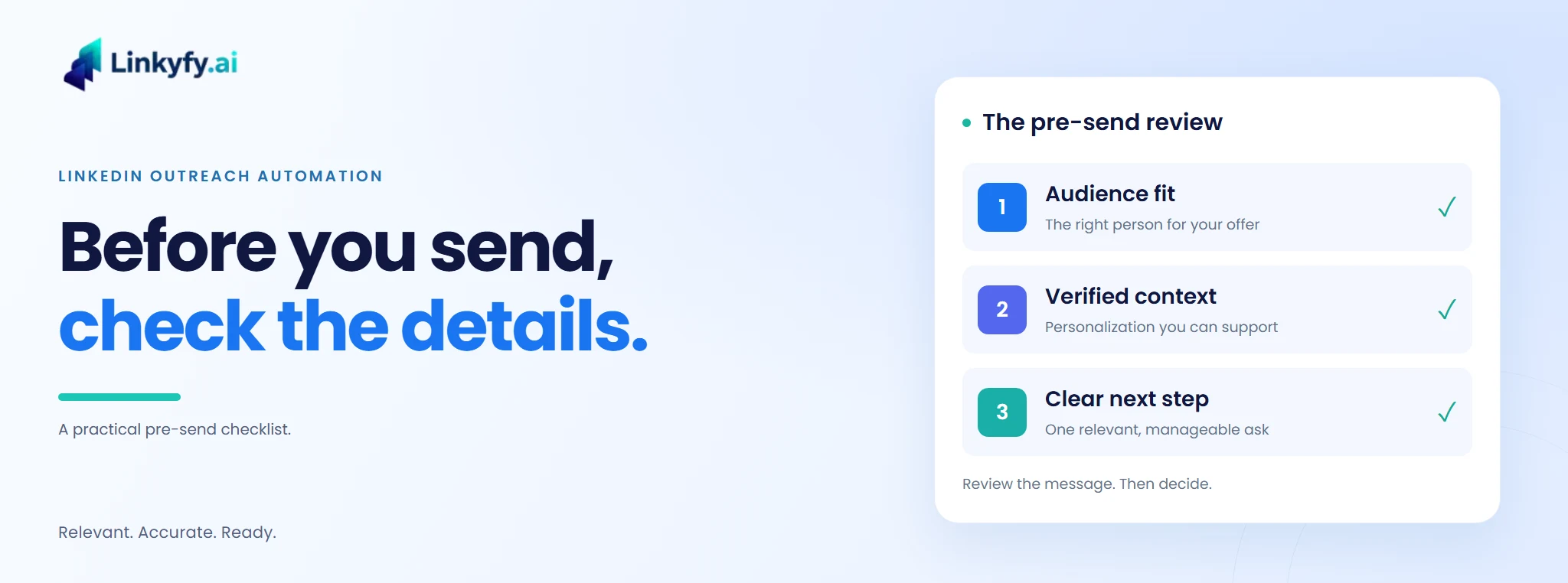
Keep the review simple enough to use: the right person, a verified detail, an honest offer and one clear next step. Check the conversation history before anything leaves the account.
Linkyfy brings prospect discovery, personalization and outreach together. Explore Linkyfy's LinkedIn outreach automation and apply the checklist to a focused campaign before expanding it.
The aim is a message you are comfortable signing, and a conversation worth having when someone replies.
FAQs on Reviewing LinkedIn Outreach
What should I check before launching LinkedIn outreach?
Check audience fit, the source of personalized details, factual claims, tone, the call to action and previous conversations. Then review later messages and decide who will handle replies. Hold any draft with an unverified claim or an unavailable promised resource. The final check should cover the actual recipient and sending account, not just the text.
How do I check AI personalization for accuracy?
Trace each personalized detail to the profile, post or conversation it came from. Confirm that it refers to the right person and is still current. Separate what the source says from what the draft assumes: a hiring post does not prove a budget or an urgent problem. If you cannot verify a detail, remove it or hold the message.
Should a LinkedIn connection note include a sales pitch?
A connection note usually works better as a relevant introduction than a full sales pitch. Give a clear reason to connect without assuming the person is ready for a meeting. If you refer to their work, check the source first. After acceptance, make the next message fit the actual relationship rather than treating acceptance as buying interest.
What should I review in an outreach follow-up?
Check that the follow-up adds something useful, fits the previous message and respects any reply or request to stop. Confirm how the sending tool handles responses before relying on an automatic sequence. If a conversation moves to email, review that history too. Keep follow-ups under manual control when the tool behavior or the recipient's situation is unclear.
Which metrics show whether outreach quality is improving?
Track connection acceptance, reply rate, positive replies and conversations that reach a useful next step. Compare like-for-like audiences and use consistent definitions. A reply that corrects a false assumption is different from genuine interest. Read the responses alongside the numbers: they can show whether the audience, the offer or the wording needs attention before you increase activity.
Does reviewing messages make LinkedIn automation risk-free?
No. Reviewing improves message quality; it does not remove platform restrictions or guarantee account safety. LinkedIn's guidance on automated activity says it does not allow third-party software that automates activity on its website. Review the current rules separately from your content checklist. Do not treat pacing settings or a vendor's safety claims as platform approval.
