
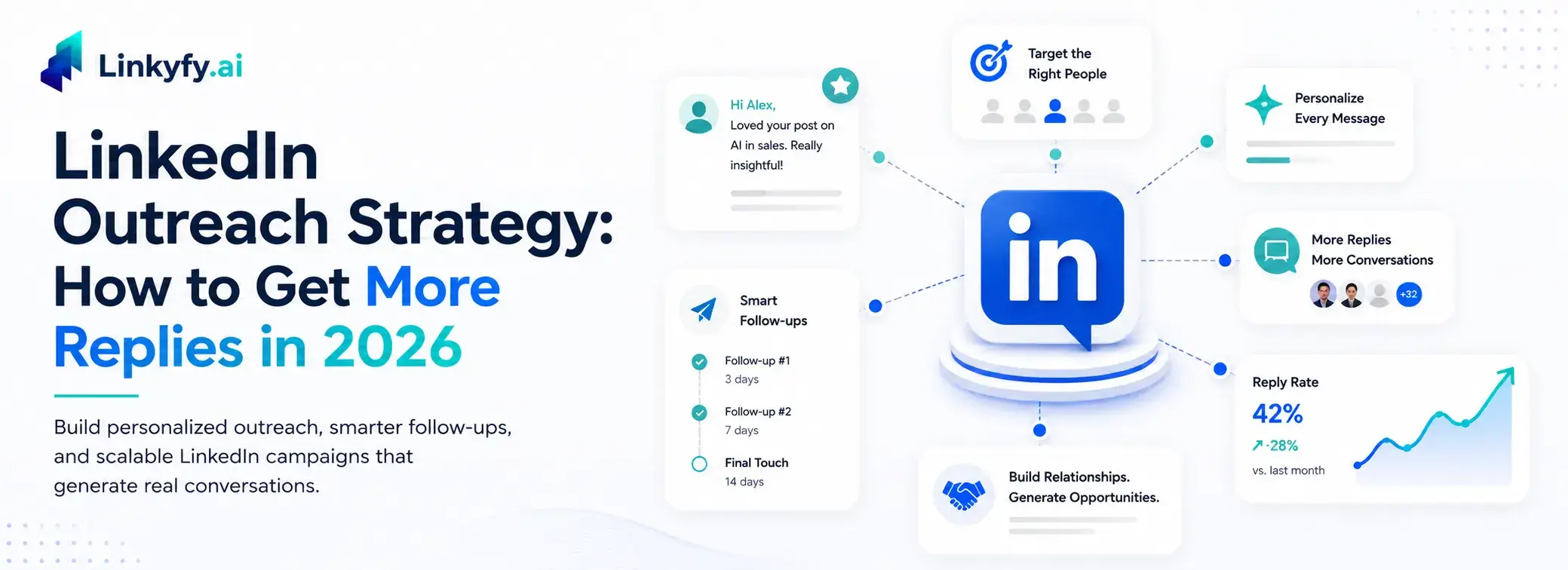
If your LinkedIn inbox is filled with generic pitches you never respond to, chances are your prospects’ inboxes look exactly the same. A strong LinkedIn outreach strategy is what separates messages that get ignored from those that earn replies.
Most cold outreach fails not because the channel is ineffective, but because the approach is repetitive — little to no research, no personalization, and a direct pitch from the very first message. A strategy built on personalization, relevance, and consistent follow-up works where template-based messaging doesn’t. For teams that want to scale without sacrificing quality, LinkedIn outreach automation for sales professionals helps automate repetitive tasks while keeping communication personalized — the same approach benefits founders and marketing agencies looking to generate more qualified conversations at scale.
Four out of five LinkedIn members drive business decisions, making LinkedIn the strongest channel for lead generation and reaching real buyers. The gap between average and top-performing outreach isn’t budget — it’s strategy.
This guide covers exactly how to build a LinkedIn outreach strategy that earns replies in 2026, from profile and targeting to messages, templates, and automation.
What Is a LinkedIn Outreach Strategy?
A LinkedIn outreach strategy is a clear plan to help you find your target audience. It guides you to send the right connection request using short, personalized messages, and builds genuine relationships. It turns connections into qualified B2B leads while converting leads into booked meetings.
It is the difference between random direct outreach and running a measurable system. A real strategy defines who you target, what you say at each stage of the conversation, and how you follow up when there is no reply. Unlike one-off messaging, it is tied to clear goals, booked meetings, a built pipeline, and tracking so that you can improve it over time.
How to Build a LinkedIn Outreach Strategy
Every effective LinkedIn outreach strategy is built on the same core foundations. Get these right before you write a single message.
Optimise Your LinkedIn Profile First
Your profile is the first thing a prospect checks before they decide whether to accept your request. A blurry headshot, a generic title, and a blank summary tell them nothing about why connecting is worth their time. Treat your profile as a landing page for your ideal buyer: a professional photo, a headline that explains the value you deliver (not just your job title), and a summary that builds immediate credibility are the baseline for effective professional networking.
Define and Find Your Ideal Prospects
Sending to the wrong people wastes your budget and damages your acceptance rate. Before initial outreach, build a tightly filtered lead list using a LinkedIn Sales Navigator account or similar tools. Narrow by job title, seniority, industry, company size, and geography to zero in on your exact target audience.
Warm Up Prospects Before You Pitch
Most sales professionals jump straight to the LinkedIn connection request. Top performers show up in a prospect’s orbit first. Join relevant LinkedIn groups where your target audience is active, comment on their posts, or engage with their shared content. This warm-up approach means your name is already familiar when your request lands.
Personalize Every Connection Request
A LinkedIn connection request note is capped at 300 characters. There is no room for a pitch, but there is exactly enough room to make the recipient feel seen. Reference something specific: a mutual LinkedIn group, a post they published, a shared interest, or a company milestone. Surface-level openers like “I came across your impressive profile” are automatically tuned out. One genuinely specific line outperforms five generic sentences every time.
The catch is that researching and writing a tailored note for every prospect does not scale, which is exactly where Linkyfy’s AI-personalized connection messages help: it reads each profile and drafts a context-aware opener in seconds, so every request feels handwritten without the manual effort.
Build a Follow-Up Sequence
Most B2B lead conversations do not start with the first message. A multi-touch sequence, a LinkedIn connection request, a post-connection message, a follow-up with a useful resource, and a final check-in reflect the reality that timing matters. The goal is not to chase; it is to stay visible and relevant. Two to three follow-ups spaced 3–5 days apart are the sweet spot for most outreach.
Track and Refine Your Outreach
Treat your outreach like a campaign, not a one-time effort. Tracking engagement, connection acceptance rates (benchmark: 28–45%), message reply rates (benchmark: 10–25%), and conversion to meeting is what separates teams that improve from teams that plateau. If acceptance is low, revisit targeting. If replies are low, revisit messaging. Act on the data weekly.
The Main Types of LinkedIn Outreach Messages
Connection Request Messages
This is the entry point of any direct outreach strategy. A LinkedIn connection request can include a short personalized note (up to 300 characters). When done well, it signals genuine intent and meaningfully increases acceptance rates. Keep it specific and pitch-free; your only goal at this stage is to get accepted.InMail Messages
InMail lets you message prospects you are not yet connected to, and it is available through a LinkedIn Sales Navigator account, making it a powerful tool for cold, direct outreach at scale. It bypasses the connection step and lands directly in the recipient’s inbox. Subject lines matter: the sweet spot is 16–27 characters, and messages under 400 characters perform 22% better than longer ones per LinkedIn’s own data.Direct Messages
Once a LinkedIn connection request is accepted, direct messages open up, and this is where real conversations happen. With up to 8,000 characters available, you have room to provide value, share relevant content, and start a genuine dialogue. Connected direct messages consistently outperform InMail for reply rates because even a minimal relationship already exists.How to Write a LinkedIn Outreach Message That Gets Replies
- A personalized hook – Reference something specific about the prospect: a post they wrote, a mutual LinkedIn group, a company announcement, or a recent role change. Not “I came across your profile”, something that proves you actually looked.
- An immediate value line – Answer the unspoken question every recipient has: what is in this for me? Connect your reason for reaching out to their world, not yours.
- A conversational tone – Write like a person, not a press release: short sentences, plain language, no jargon.
- Brevity – Keep the first message to 50–100 words. Personalized InMails perform about 15% better than ones sent in bulk, and messages under 400 characters see 22% higher response rates than average.
- A soft call to action – Invite a reply, not a calendar booking. “Would this be relevant to what you’re working on?” gets more responses than “Book a 30-minute call here.”
LinkedIn Outreach Message Templates You Can Use
These are starting frameworks for sales professionals, not scripts to copy word-for-word. Swap real details into every placeholder; the moment a message reads like a template, it stops working.
Template 1: LinkedIn Connection Request
Hi [First Name], I noticed we’re both in [LinkedIn Group / following [Industry Topic]]. Your post on [specific topic] caught my attention, really aligned with what I’m seeing in [relevant area]. I would love to connect.
This approach works by opening with common ground from a shared LinkedIn group or mutual interest, without a pitch or any ask beyond the connection itself.
Template 2: Post-Connection Follow-Up
Hi [First Name], thanks for connecting. I came across a [report/guide/case study] on [relevant topic] that might be useful given your work at [Company]. Happy to share it, no strings attached.
Leads with a give, not a take. Builds trust before any initial outreach task, which is what professional networking looks like in practice.
Template 3: Cold InMail
Hi [First Name], most [job titles] I speak to at [Company type] are dealing with [specific problem]. We helped [similar company] [specific outcome] in [timeframe]. Worth a quick conversation?
Names a pain the prospect recognises and backs it with proof. Under 400 characters keeps reply rates high, critical for direct outreach via InMail.
Template 4: Re-Engagement
Hi [First Name], I saw something relevant to what we discussed, [insight/news related to their role]. Worth revisiting whether [your offering] still makes sense? Happy to chat if the timing is better now.
Returns with a value, not a chase. New information gives the prospect a fresh reason to re-engage.
How to Automate Your LinkedIn Outreach Strategy
Manual outreach quickly becomes hard to scale. Sending connection requests, follow-ups, and messages one by one is time-consuming. This is where automation makes a difference. A smart approach is to safely automate repetitive tasks while keeping relationship building human.
You can automate building targeted lead lists, sending personalized connection requests, visiting profiles, sequencing follow-ups, and scheduling messages. The same approach extends beyond LinkedIn: pairing it with email outreach automation lets you reach prospects on a second channel without doubling the manual work. These steps save hours and keep your outreach consistent across both channels. Always stay within LinkedIn’s daily and weekly limits, warm up new accounts gradually, and remember that reckless automation risks account restrictions and damages credibility.
Tools like Linkyfy.ai provide a reliable solution. This LinkedIn automation tool handles repetitive outreach steps, sends personalized messages at scale, and keeps activity within safe limits. That way, you focus on genuine conversations while automation takes care of the heavy lifting.
Different professionals have different outreach goals. Founders and CXOs often focus on building strategic relationships and partnerships, while sales professionals need a consistent pipeline of qualified leads and timely follow-ups. That’s why Linkyfy offers tailored LinkedIn automation solutions for founders and CXOs, as well as sales professionals, helping each group personalize outreach, save time, and stay within LinkedIn’s best practices.
Scale Your LinkedIn Outreach Strategy with Linkyfy.ai
A strong LinkedIn outreach strategy is targeted, personalized, follow-up-driven, and measured through consistent engagement tracking. The pillars in this guide are profile optimisation, precise target audience definition using a LinkedIn Sales Navigator account, message quality, sequenced follow-up, and data-driven refinement.
Linkyfy is the LinkedIn outreach automation tool built to execute that system at scale, handling the targeting, personalization, sequencing, and safe sending so your team can focus on the conversations that turn into pipeline.
If you are ready to move from manual direct outreach to a scalable, repeatable system, Linkyfy is the platform built around that goal.
Frequently Asked Questions on LinkedIn Outreach Strategy
Here are direct answers to the most common questions about LinkedIn outreach strategy in 2026.
What is a good response rate for LinkedIn cold outreach?
A 10–25% reply rate is the 2026 benchmark for sales professionals. Strong performers hit 25–35%, and top-tier campaigns with warm-up sequences reach 35–50%. Consistent engagement tracking is what separates teams that improve from those that plateau.
What is the difference between an InMail and a connection request?
A LinkedIn connection request asks to join someone’s network, accompanied by a 300-character note. InMail, available through a LinkedIn Sales Navigator account, messages prospects directly without requiring a connection first. Connected messages typically get higher reply rates.
How long should a LinkedIn outreach message be?
Keep your first message to 50–100 words. LinkedIn data show that messages under 400 characters perform 22% better than the average. LinkedIn connection request notes are capped at 300 characters.
Is it safe to use LinkedIn automation tools?
Tools that respect daily limits and simulate natural behaviour are safe for direct outreach, whether they run as cloud-based platforms or native desktop apps. The risk comes from exceeding limits, using a browser extension that LinkedIn’s systems can detect inside your browser, or sending generic messages that generate spam reports.
How many follow-up messages should I send?
Two to three follow-ups are the effective range for most B2B lead outreach. Space them 3–5 days apart and add new value each time: a relevant insight or resource. Beyond three, diminishing returns set in quickly.
When is the best time to send LinkedIn outreach messages?
Tuesday through Thursday, 8–10 am in your prospect’s local time, consistently outperforms other windows. This holds for both direct outreach on LinkedIn and cold email outreach, which run in parallel.
