
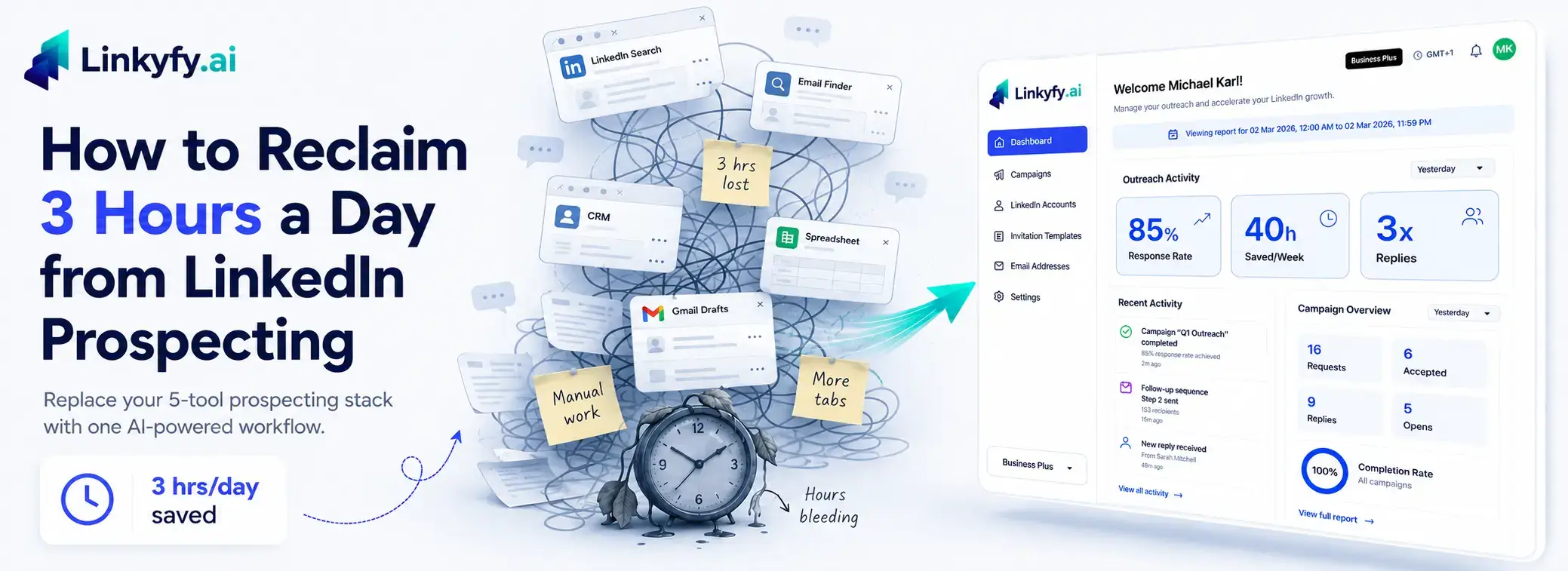
It’s 9:47 AM. You’ve already opened LinkedIn, Sales Navigator, a spreadsheet, an email finder extension, a verifier tab, your CRM, and your sending tool. You haven’t sent a single message yet. By the time you do, it’s lunch – and the message you copy-pasted will probably get ignored anyway.
A LinkedIn email finder extension is a browser tool that extracts a prospect’s verified work email from their LinkedIn profile – but it still requires you to visit each profile, click the extension, copy the email, paste it into a verifier, and paste again into a separate sender. That five-step process, multiplied by every prospect on your list, is where the hours go.
This is the daily reality for founders running outbound themselves and for SDRs trying to hit quota with a duct-taped stack. Industry reports consistently indicate reps lose 10+ hours per week – roughly 40 – 60 hours per month – to the mechanical work of finding people, pulling their email with a LinkedIn email finder extension, verifying it, logging it, and writing something that sounds vaguely personal.
In this post, we’ll break down why the workflow itself is the bottleneck (not your effort), why template personalization quietly stopped working in 2024, and what a unified LinkedIn prospecting and cold email workflow looks like when it runs from one set of real profile signals instead of five disconnected tools.
1. The real cost of the 5-tool outbound stack
Here’s the stack most lean teams actually run: LinkedIn or Sales Navigator search → a LinkedIn email finder extension (usually a Chrome extension) → an email verifier → a CRM to log it → a separate sender to actually email. Each tool charges separately. Each one exports a CSV. Each handoff is where data dies.
Why Context Switching Kills Productivity
The numbers around this are brutal. Sales development research has long pegged SDRs at roughly 6 hours of research for every 2 hours of actual calling or outreach – meaning three-quarters of the workday is spent preparing to do the job, not doing it. And the payoff of that preparation is shrinking: Backlinko’s cold email benchmark study put average reply rates at around 5.1%, down from roughly 7% the year before – and more recent outreach data suggests this figure continues to trend lower for template-based campaigns. Top performers, meanwhile, still hit 15%+.
The Hidden Cost of Tool Fragmentation
That gap isn’t talent. It’s tooling. When your rep has to context-switch between five tabs to send one message, the message gets generic. When the message goes generic, the reply rate drops. When the reply rate drops, you send more volume to compensate – and the cycle eats your week.
The problem isn’t the rep. It’s the seams between the tools.
2. Why template personalization stopped working
Most “personalized” cold email is actually name-swap email. {{first_name}}, {{company}}, “I saw you work at {{company}} and thought…” – buyers have seen this exact pattern thousands of times. Their inbox has been trained to delete it on sight.
Merge-Tag Personalization vs Context-Aware Outreach
There’s a meaningful difference between merge-tag personalization and context-aware personalization. Merge tags pull a field. Context-aware outreach reads the prospect’s actual role, their recent LinkedIn post, the funding round their company just closed, the conference talk they gave last month – and writes from that.
Why Fragmented Tools Produce Generic Messages
That’s the contrarian core of this whole piece: cold email personalization didn’t fail because buyers got smarter. It failed because the tools were too fragmented to feed real signals into the message. Your email finder extension knows the email. Your CRM knows the company. Your LinkedIn tab knows the post they wrote yesterday. None of them talk to each other, so the rep defaults to the safest, blandest template.
Real personalization at scale only works when the same system that finds the prospect also reads their profile and writes the message. One record. One brain. No copy-paste.
3. Why a Built-In Email Finder Outperforms a LinkedIn Email Finder Extension
What a Built-In Email Finder Does Differently
A built-in email finder – one that lives inside the same platform writing your outreach — does something fundamentally different. The email is found, verified, and attached to the same prospect record the AI is already reading to write your message. No CSV export. No paste-and-verify loop. No disconnected tool charging separately for the data your other tool already pulled.The practical result: what takes a LinkedIn email finder extension five manual steps take a unified platform one automated motion.4. What a unified LinkedIn + email outreach workflow looks like
Here’s the workflow we built Linkyfy.ai around, in plain language.
How Linkyfy Reads Real Profile Signals
You paste a LinkedIn Search URL – or a group, an event attendee list, post engagers, whatever defines your ICP. The platform pulls the matching profiles. From there, the AI reads each prospect’s real profile signals – their headline, current role, recent activity, company context – and writes a connection request from scratch for that specific person. Not a template with their name swapped in. A message written from their actual profile.
Finding, Verifying, and Personalizing in One Workflow
In the same workflow, the built-in email finder pulls the verified work email for that same prospect. No separate LinkedIn email finder extension, no second tool, no CSV export. The AI then writes the cold email using the same profile data it used for the LinkedIn message – so the two channels reinforce each other instead of sounding like two strangers wrote them.
One Prospect Record, One Source of Truth
Then it sends it as a multi-channel outreach so your prospect actually responds to you from whichever platform they prefer to. Some buyers ignore email and reply on LinkedIn the same hour. Others screen LinkedIn and live in their inbox. A real B2B outreach platform lets you reach them on both without rebuilding the prospect record twice. You can dig deeper into how the workflow is structured in our knowledge base: Knowledge Base
The shift is simple: one platform, one prospect record, one source of truth. The rep stops being a CSV janitor and starts being a salesperson again.
5. The numbers that change when you fix the workflow
When the workflow runs from real LinkedIn signals instead of merge tags, the metrics move in ways that surprise people who’ve been grinding on the old stack.
LinkedIn Touchpoint Results
Early users running AI-personalized sequences on Linkyfy.ai have reported response rates north of 85% on warm LinkedIn touchpoints and roughly 3x higher reply rates on cold email compared to their previous templated sequences. Teams report saving 40+ hours per week across their outbound function and a ~50% reduction in manual prospecting time – because the research, finding, writing, and sending all happen in one motion instead of five.
Cold Email Benchmarks
On the email side specifically, early results include 55-60% open rates when subject lines are written from profile signals rather than guesswork, 22-25% reply rates on well-targeted lists, 97%+ delivery rates, and bounce rates kept under 3% thanks to built-in verification. Those are the numbers that make a two-person team competitive with a ten-person SDR org. For a deeper insights and further information on how this prospecting works and the best practices visit our blog: Blog
None of this is magic. It’s what happens when the system writing your message has the same context a good rep would have if they spent 20 minutes on each profile – except it does it in seconds.
6. How to start without burning your domain or your LinkedIn account
Prospecting at scale only works if the infrastructure protects you. That part is non-negotiable.
LinkedIn Side: Safe Daily Limits
On the LinkedIn side, that means staying inside safe daily limits – generally 15-20 connection requests per day for most accounts, with randomized human-like delays between actions, not robotic intervals. It means account eligibility checks: ideally 250+ existing connections and an account that’s at least 6 months old before you ramp outreach. If your account doesn’t clear those bars, you warm it up first. We’re not here to wreck assets.
Email Side: Domain Warming and Deliverability
On the email side, the same logic applies. New sending domains need warming – gradual volume ramp-up over 2-4 weeks – and ongoing sender reputation monitoring for which you can use any platforms like Instantly.ai. Industry deliverability guidance is consistent on this: bounce rates over 3% start hurting your sender score, and complaint rates over 0.1% can flag you with mailbox providers.
The point of smart outreach isn’t to send more – it’s to send to the right people, on the right channel, without setting your infrastructure on fire. Capacity scales with safety, not against it. You can see how that maps to volume on our pricing page: Pricing
Frequently Asked Questions
How long does it take to set up an AI outreach workflow?
Under a few minutes for the first sequence. You connect your LinkedIn account, paste a Search URL defining your ICP, connect a sending email (or use the built-in sender), and the AI handles profile reading, message writing, and email finding. Most users have their first personalized sequence queued the same session they sign up. Its recommended to warm up, if your email domain is new, it can run in the background over the following weeks, it its already in warm up and ready to use.
Is AI-personalized cold outreach compliant with LinkedIn and GDPR?
When done correctly, yes. Staying inside LinkedIn’s daily action limits, using human-like delays, and respecting connection request etiquette keeps you aligned with LinkedIn’s User Agreement. For GDPR, B2B outreach to a business email about a legitimate business interest is generally permitted, provided you honor unsubscribe requests immediately and don’t process sensitive data. Always include an opt-out and respect it. We recommend consulting your legal team for country-specific compliance guidance, as GDPR interpretation varies across EU member states.
What is the difference between an email finder extension and a built-in email finder?
A LinkedIn email finder extension lives in your browser and requires you to visit each profile, click the extension, copy the email, paste it into a verifier, then paste again into your sender. A built-in email finder runs inside the outreach platform itself – the email is found, verified, and attached to the prospect record automatically as part of the workflow. No copying. No tab juggling.
Can a single founder or two-person team run outbound at scale?
Yes – this is exactly who unified platforms are built for. With AI handling research and writing, one founder can run the prospecting volume of a small SDR team. Users in this segment commonly run 300-500 personalized touches per week with multiple accounts setup. The constraint becomes pipeline review and discovery calls, not message production. If you want to talk through your specific setup, you can reach out here: https://www.linkyfy.ai/contact/
What response rate should I expect from AI-personalized cold email?
Realistic ranges for AI-personalized cold email on a clean, well-targeted list are 22–25% reply rates and 55-60% open rates, with delivery above 97%. Generic templated sequences in 2024 sit closer to 5% replies – and more recent data suggests that gap continues to widen as inbox filters improve. Your numbers will depend on list quality, offer clarity, and whether your sequence respects the channel – but the gap between templated and context-aware outreach is consistently 2x in real campaigns.
Linkyfy.ai replaces the five-tab stack with one AI-powered workflow that reads real LinkedIn profile signals and writes outreach from scratch. Setup takes few minutes, and it’s free to start.