
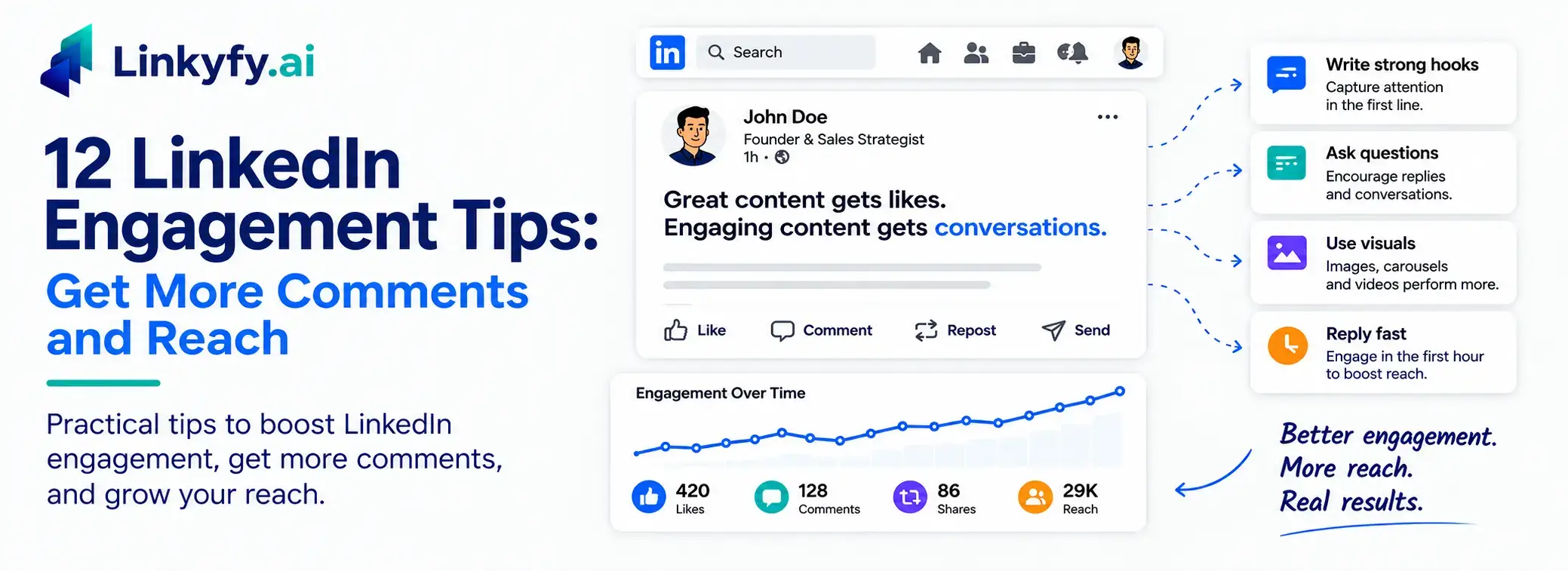
You put real effort into a post, hit publish, and get a handful of likes but no comments, while a small group always gets replies. LinkedIn now has over 1 billion members, making the feed crowded and harder to stand out, especially with so much AI-generated content feeling generic.
The goal isn’t posting more; it’s writing posts that earn real comments, shares, reach, and inbound leads. Smart LinkedIn engagement tips help you post content that connects, whether for yourself or your business.
This guide covers what engagement actually means, how to measure it, and 12 practical tips to help boost your LinkedIn engagement and support broader LinkedIn growth.
What Does Engagement on LinkedIn Actually Mean?
LinkedIn engagement is the total number of likes, comments, shares, reposts, clicks, and other interactions a post receives. Higher engagement generally leads to greater visibility in the LinkedIn feed.
Comments and shares carry far more weight than a simple reaction, because they signal a real conversation to the LinkedIn algorithm, not just passive approval or vanity metrics like raw reactions or impressions.
How long someone stops to read a post (its dwell time) also counts, even when they don’t click or react at all. Dwell time is one of the strongest signals in LinkedIn post engagement.
How to Increase Engagement on LinkedIn: 12 Proven Tips
These tips work whether you’re posting from a personal profile or a company page, and the biggest gains usually come from the first few.
1. Open Every Post With a Scroll-Stopping First Line
LinkedIn hides posts after one or two lines behind a “See more” prompt, so the first line determines whether someone taps “See more” and reads on. Three hook patterns work reliably: a surprising number, a bold or contrarian statement, or a short question that names the reader’s problem directly.
Don’t spend that first line on a greeting or a slow wind-up; put your most interesting idea first, then explain it. Strong hooks can drive engagement before the post loses attention in the feed.
2. Post Consistently on a Schedule You Can Keep
Consistency trains both your audience and the LinkedIn algorithm to expect and reward valuable content. Posting two to four times weekly beats bursts followed by silence, and companies posting at least weekly see double engagement.
Pick a cadence you can sustain rather than an ambitious one you’ll abandon after a month. Consistency matters more than short bursts, so batch posts in advance to avoid gaps. A busy week should not turn into a quiet one if you plan ahead.
3. Reply to Every Comment in the First Hour
The first hour after posting matters most, because early comments and replies signal to LinkedIn that the post deserves wider reach. Posts with five or more comments get around 2.5x more views, making that window critical. Every comment deserves a genuine response, not just a thank you.
A follow-up question keeps the thread alive and often attracts more replies. Post at a time when you can stay active and drive engagement.
4. Ask One Specific Question That Invites a Reply
A comment is worth far more than a like, so give people an easy, specific reason to respond and boost engagement. Skip the vague “thoughts?” or “agree?” at the end of a post; it’s easy to scroll past. Instead, tie the question directly to the post’s topic: instead of “What do you think?” try “What’s the one thing you’d change about this approach?”
Specificity is what turns a passive reader into a commenter, especially when the question invites something people can teach or debate, which is how people respond on LinkedIn.
5. Format Your Posts for Skim Reading
Most people skim LinkedIn on their phones, so walls of text are often scrolled past. Strong text posts can still perform well, but only when they are cleanly formatted instead of being crammed into one unreadable block. Use short, one- or two-line paragraphs, plenty of white space, and the occasional list to make the post easy to read at a glance.
Keep sentences short, and cut filler words before you publish, because formatting helps build engagement when more people actually read to the end.
6. Add Native Visuals Like Images, Carousels, and Video
A strong mix of formats stops the scroll. Posts with images earn nearly twice the interaction of text-only content, while carousels and video often perform even better. Document posts are the highest-engaging format on LinkedIn, averaging around 7% engagement.
Visuals and video should be uploaded natively to LinkedIn, matched to the message. Carousels suit step-by-step ideas, native video builds connection, and a single clear image works for quick points. Video demos can be effective, though performance varies depending on audience and format.
7. Comment on Other People’s Posts Every Day
Engagement flows both ways. Leaving thoughtful comments on other posts helps you stay visible in your niche and pulls people back to your LinkedIn profile. Comments should add a real insight or a genuine question, not a one-word reaction.
Do it daily, with a clear list of relevant people in your niche. Regular interaction while you’re posting content can also boost engagement on your own posts. Doing this by hand at scale eats time, which is where a LinkedIn outreach automation tool helps by surfacing the right people and posts to engage with, then organizing the follow-up.
8. Post When Your Audience Is Actually Online
Timing affects the all-important first-hour engagement window, so posting time matters. Tuesdays, Wednesdays, and Thursdays tend to be strongest for many audiences, morning posts often outperform evening ones, and posts made between 7–8 AM can produce better early traction.
Treat these timing benchmarks as a starting point that can lead to higher engagement, then check your own LinkedIn analytics to find when your specific audience is actually active and reading.
9. Publish From Your Personal Profile, Not Just the Company Page
People engage far more with a real human than with a faceless brand, so the same idea posted from a personal profile usually outperforms it on a company page while also strengthening personal branding.
Lead with a personal voice, use first person, and let founders, leaders, and employees share company news through their own profiles. A recognizable human voice is a competitive advantage over brand-only posting: it helps position an expert as a thought leader in their niche, and it often reaches further and feels more credible than a logo posting on its own behalf.
10. Share Stories and Lessons Instead of Only Advice
Generic advice blends into the feed, while personal stories about mistakes, turning points, or lessons learned feel human and spark replies. Educational posts also generate stronger engagement than generic updates.
Frame your point inside a short, real example from your own work, because stories create meaningful engagement when readers connect with real experiences. Then draw out the takeaway so the post is useful as well as relatable. Stories make people stop, and lessons make them comment, driving deeper interaction.
11. Turn Post Engagement Into Direct Conversations
Strong LinkedIn engagement is the starting point for direct outreach, because a like or comment is the start of a relationship, not the end. Following up with the most relevant people who engage is where LinkedIn activity turns into real conversations and actual opportunities.
Reach out with a personal, relevant message that references the post itself, rather than a copied pitch. Turning those interactions into ongoing conversations is also what often leads to more followers and better-qualified opportunities over time.
Keeping this personal at volume is hard by hand; a LinkedIn Message Automation tool can send tailored follow-ups to engagers while keeping the tone human.
12. Track What Works and Repeat It
Guessing wastes effort. Track which posts earn the most comments, shares, reach, inbound leads, and overall LinkedIn post engagement. Look for patterns in format, topic, and tone, not just what you enjoyed writing. Even a small lift in engagement rate matters when repeated consistently.
Double down on formats that work, drop those that don’t, and review metrics like comments, shares, leads, and follower growth regularly. This keeps your LinkedIn strategy improving, helps plan the next post, and generates stronger ideas from proven winners.
What Is a Good Engagement Rate on LinkedIn?
As a benchmark: the average LinkedIn engagement rate sits at 5.2%, with native document posts leading at 7% and text-only posts trailing at around 4%, so anything consistently above the 5% mark is strong. A good engagement rate should be judged by engagement quality, not just follower count or other vanity metrics.
A good rate depends heavily on audience size, industry, and post format, so smaller accounts often see higher percentages than large pages with broad, less-targeted followings.
Rather than chasing someone else’s number, set your own baseline from your recent posts and aim to beat it consistently, since even a small lift in your rate is still meaningful progress.
Turn More LinkedIn Engagement Into Real Conversations With Linkyfy
Engagement grows when you write strong hooks, post consistently, format for skim reading, reply quickly, and engage with others as much as you post. Yet many still struggle to treat LinkedIn as a daily engagement system.
The hardest tasks are engaging with the right people and following up with everyone who interacts. Most fall off after a few weeks because manual effort is tough to sustain. Consistent systems help maintain engagement over time, preventing one-off spikes and building lasting interaction.
Linkyfy is a privacy-first LinkedIn outreach automation tool that helps you act on both, turning the activity from this guide into actual conversations without eating your whole afternoon.
Frequently Asked Questions on LinkedIn Engagement Tips
Why is my LinkedIn engagement so low?
Low LinkedIn engagement is often caused by inconsistent posting, content that doesn’t resonate with your audience, weak formatting, or posting when your audience is inactive. To improve engagement, share valuable insights, use short, easy-to-read paragraphs, include a strong opening hook, encourage discussion, and engage with comments soon after publishing.
How do you calculate LinkedIn engagement rate?
LinkedIn engagement rate is calculated by dividing the total number of engagements (reactions, comments, shares, and clicks) by the total number of impressions, then multiplying the result by 100.
Formula:
Engagement Rate = (Total Engagements ÷ Total Impressions) × 100
For example, if a post receives 120 engagements and 4,000 impressions, the engagement rate is 3%. Tracking this metric helps you measure how effectively your content resonates with your audience.
Do Hashtags Still Help LinkedIn Engagement?
Their impact is smaller now. Use three to five relevant hashtags matching your topic and audience. Strong hooks, visuals, and early comments drive engagement more than hashtags.
How Many Connections Do You Need Before Posts Get Engagement?
Engagement depends on relevance and early activity, not raw numbers. A few hundred focused connections often outperform thousands of disengaged ones. Quality beats quantity for visibility and interaction.
Can Automation Tools Help Increase LinkedIn Engagement Safely?
Safe LinkedIn outreach automation tools help scale outreach if they respect LinkedIn limits and keep messages personal. They reduce manual effort while maintaining compliance and engagement quality.
